This guide shows how to upload your syllabus to Canvas.
Video Walkthrough
Step-by-Step Instructions
1. Open the Canvas site to which you’d like to upload your syllabus
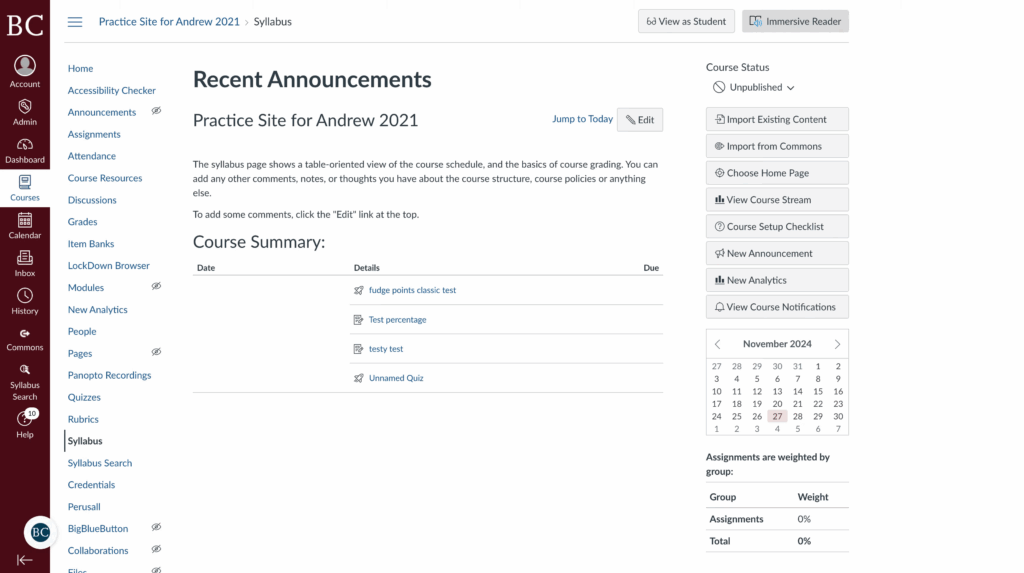
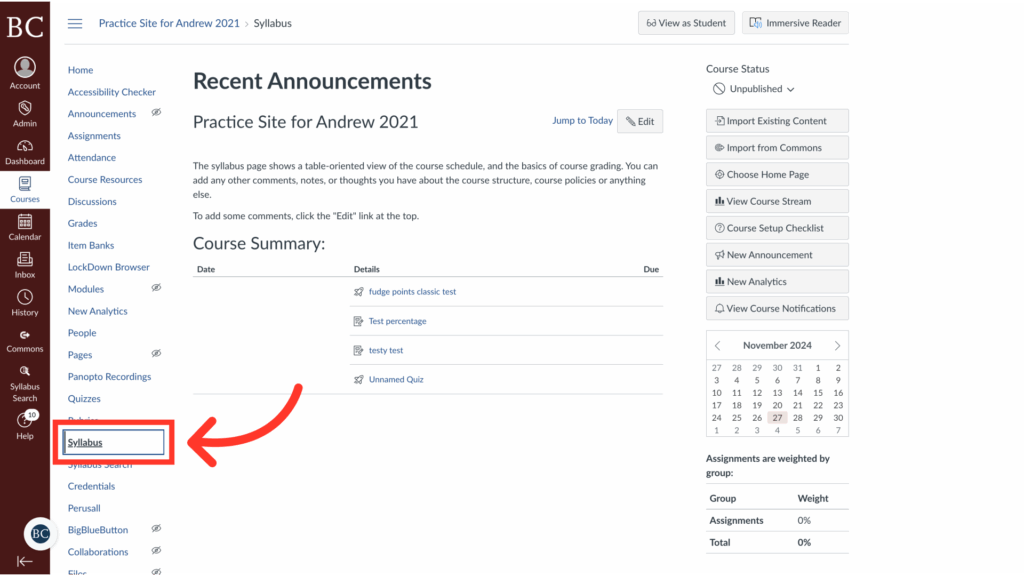
2. Click the “Syllabus” tab on the course navigation bar
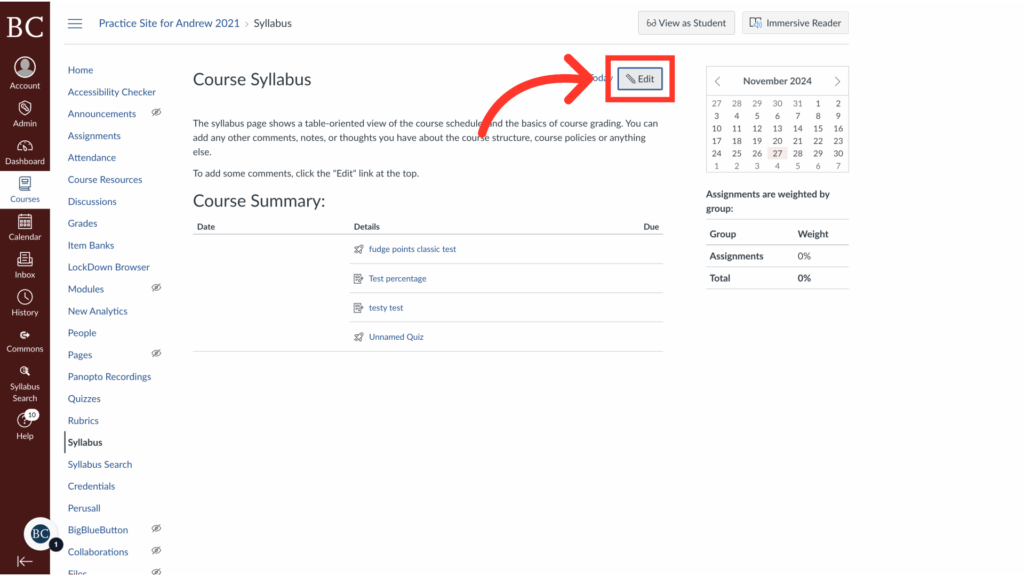
3. Click “Edit”
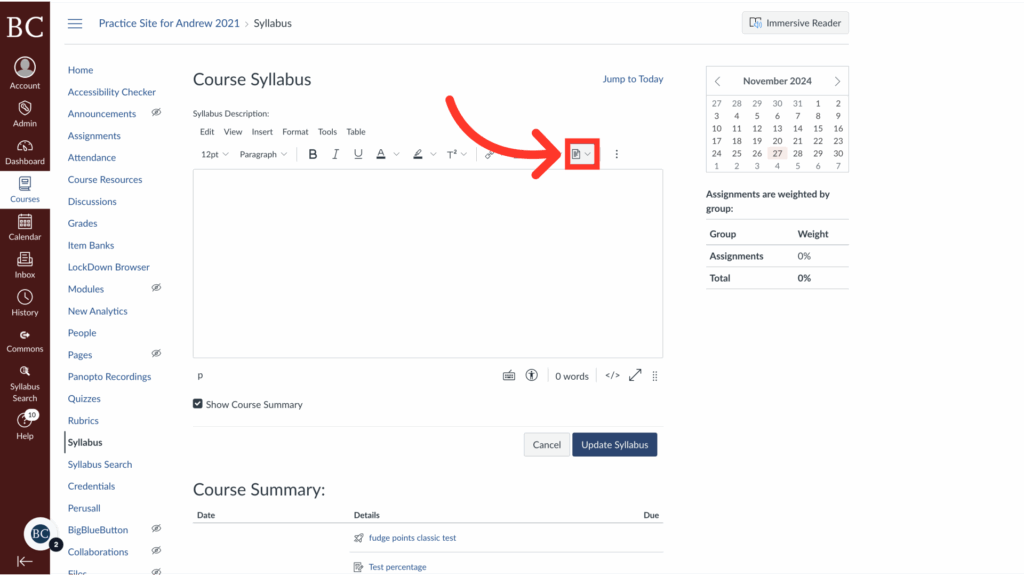
4. Click the document icon on the toolbar
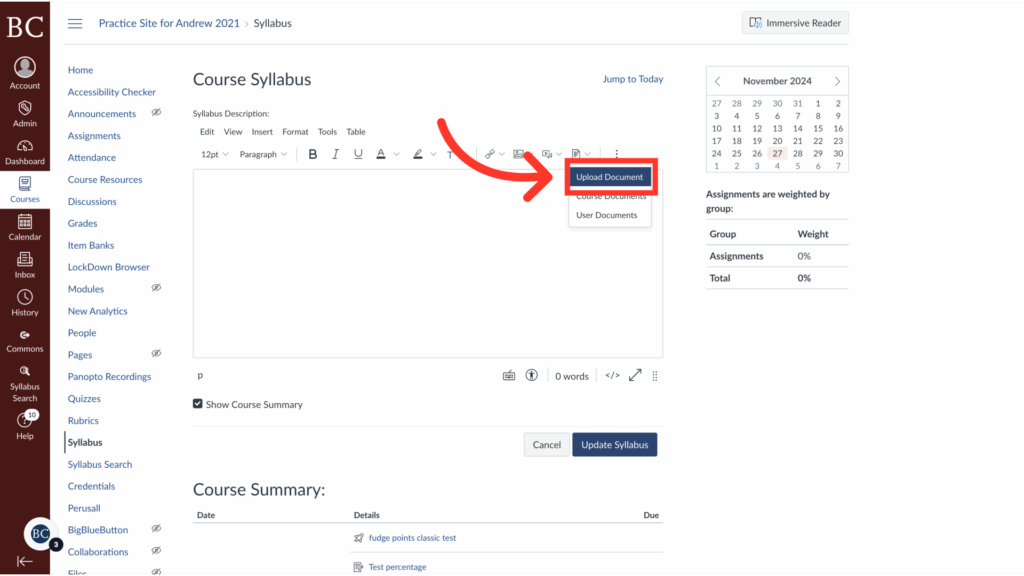
5. Select “Upload Document” from the dropdown menu
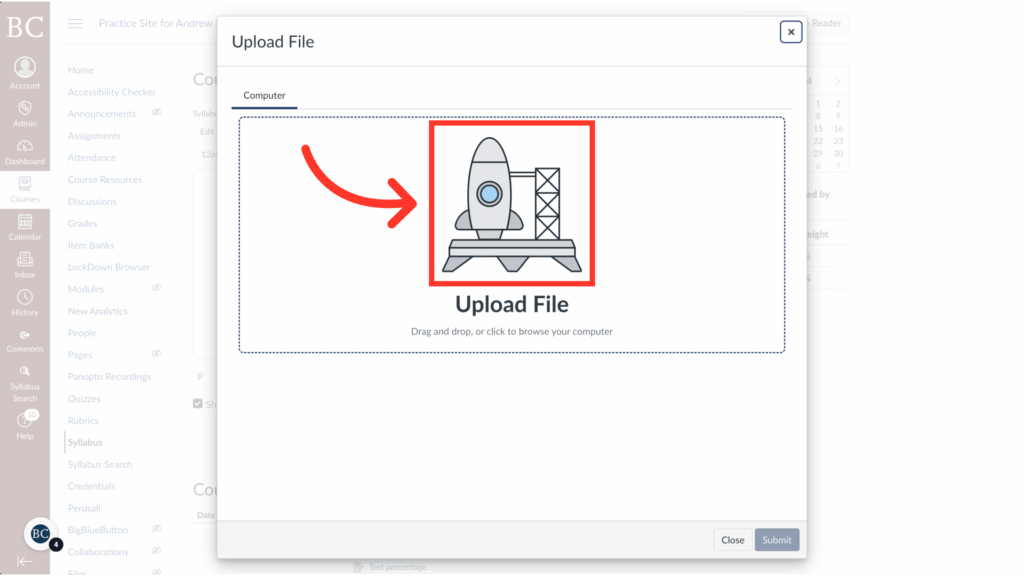
6. Click the rocket ship to access the files on your device
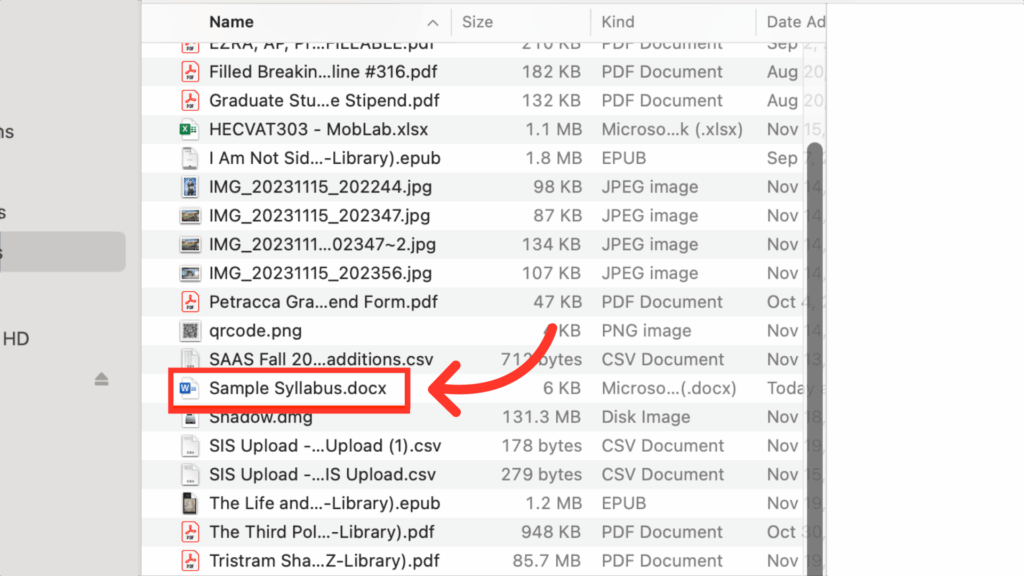
7. Select the document you would like to upload
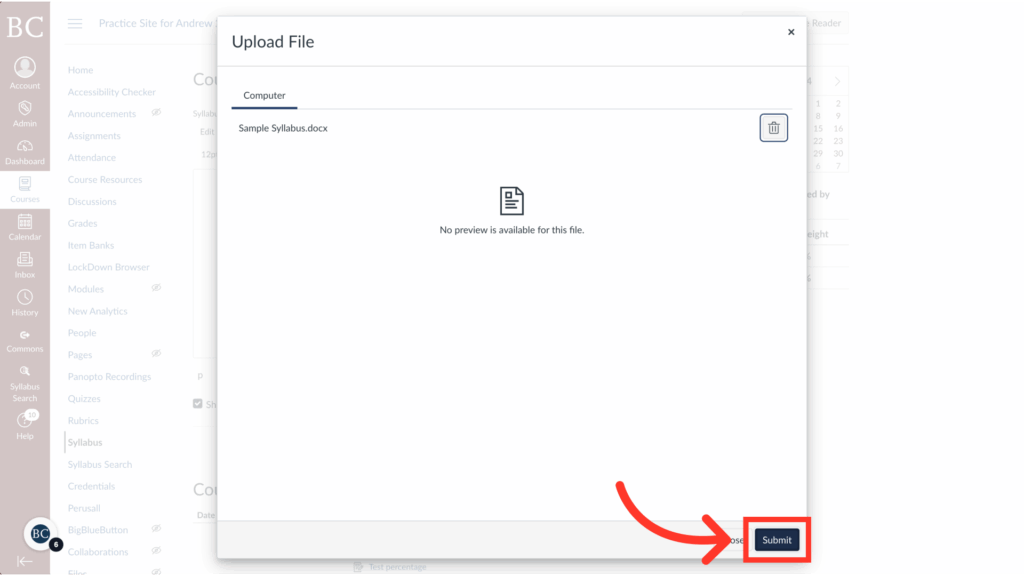
8. Click “Submit”
It’s okay if no preview is available for the file.
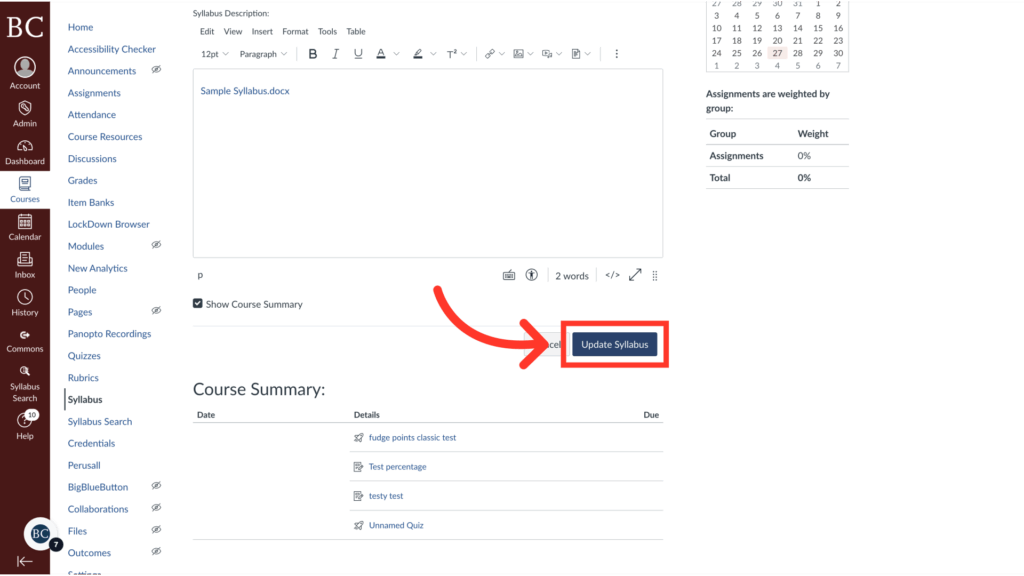
9. Click “Update Syllabus” to save your changes