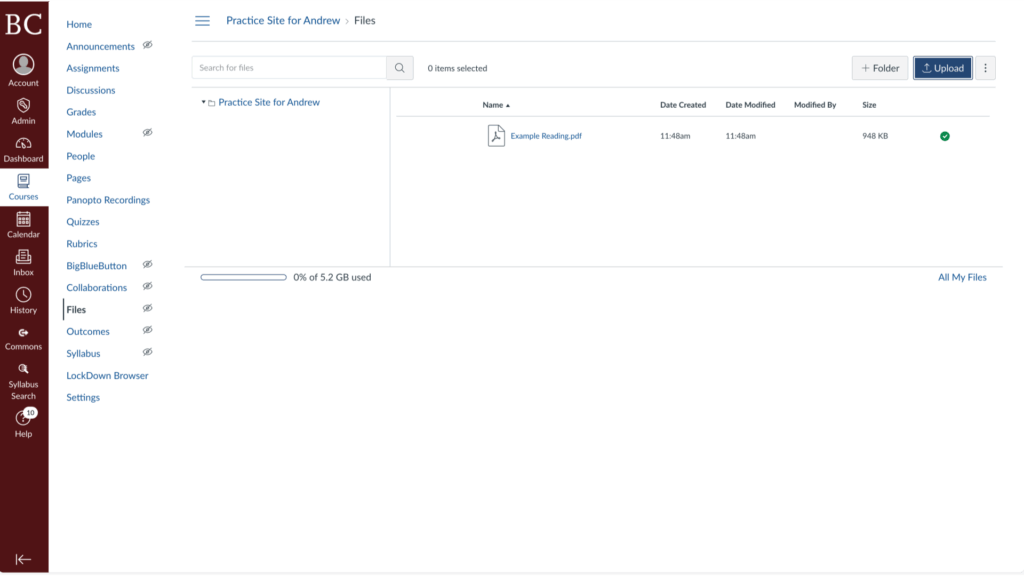
This guide will explain how to upload readings, handouts, slides, and other course files to your Canvas site.
Video Walkthrough
Step-by-Step Instructions
1. Open the Canvas site to which you’d like to upload a file
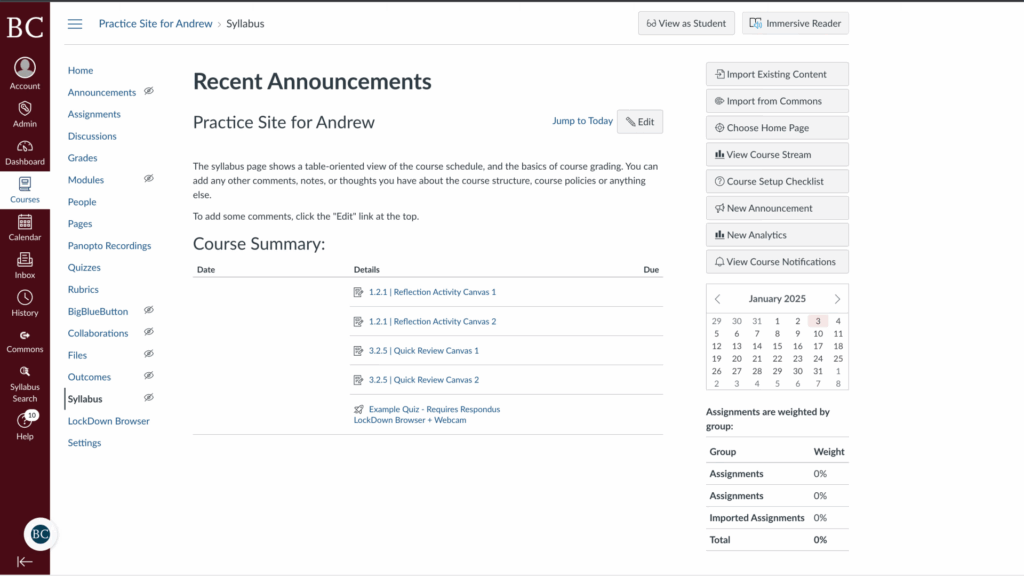
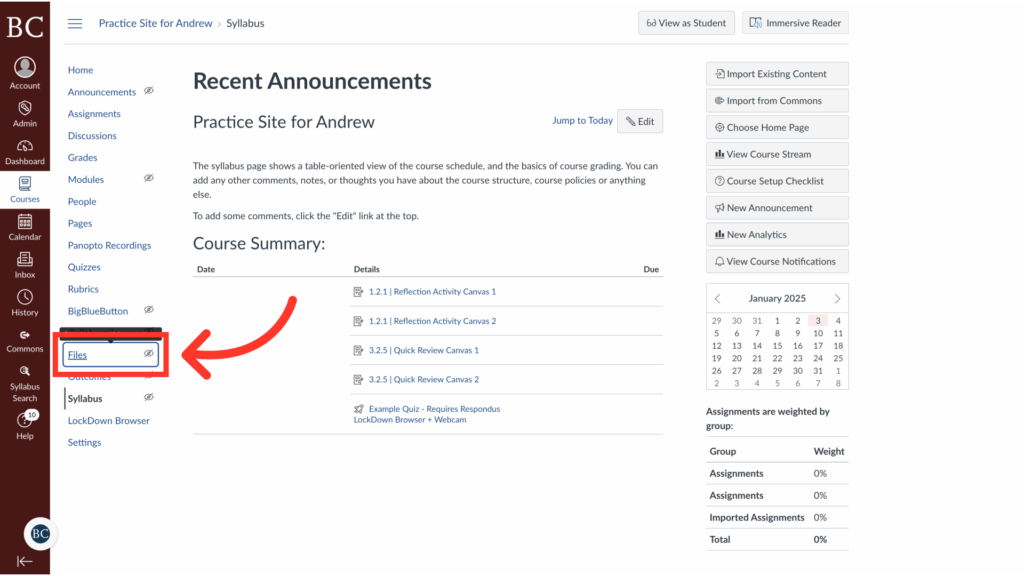
2. Click “Files”
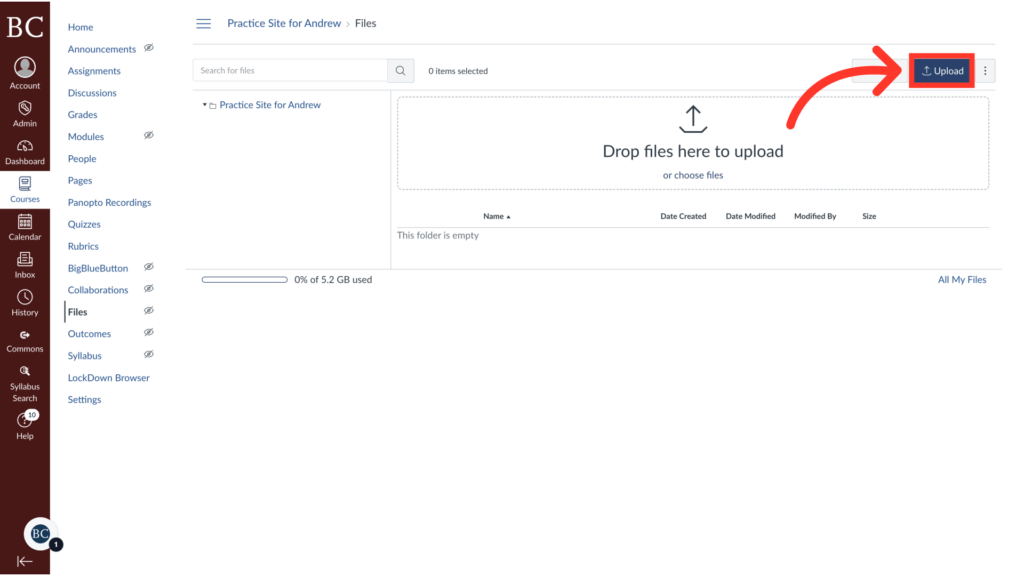
3. Click “Upload”
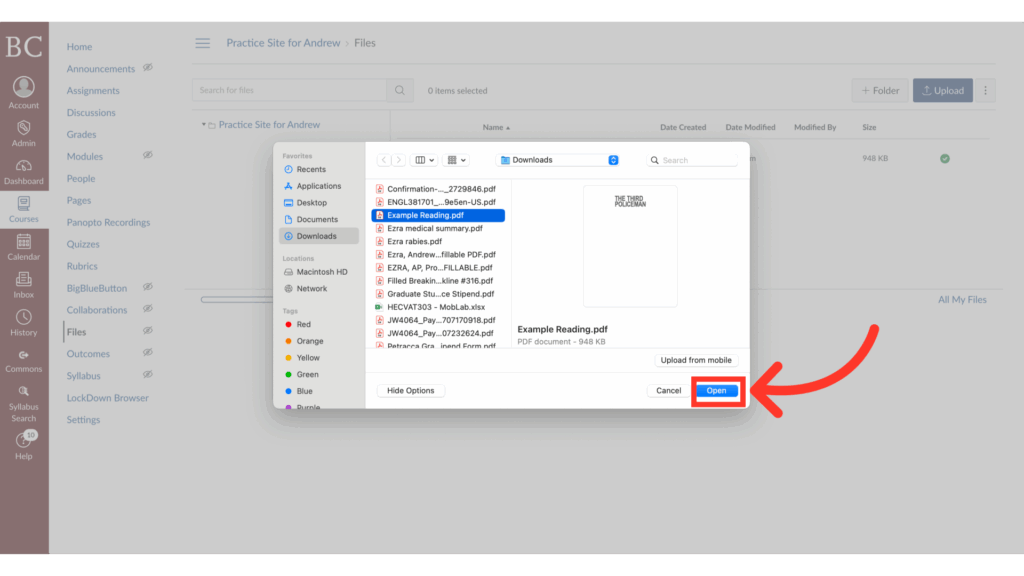
4. Select the file you’d like to upload
Click “Open” or “Select,” depending on your operating system.
5. Your file has now been uploaded to your Canvas site