

The DesignPLUS sidebar is not visible by default. You’ll need to enable using a keyboard shortcut.
Enabling with Keyboard Shortcut
To open the DesignPLUS sidebar in Canvas:
- Open the Canvas course.
- Navigate to the content you wish to edit.
- Click the “Edit” button.
- Hold the control key (^) and type the 1 key (this works the same on Macs and PCs)
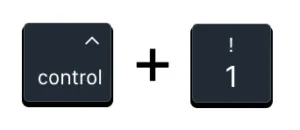
- You will see the DesignPLUS sidebar open on the right side of the screen.
Note: The older keyboard shortcut Alt+Shift+D for Widows users or Shift+Option+D for Mac users will also work, but we find the control + 1 is easier to remember.