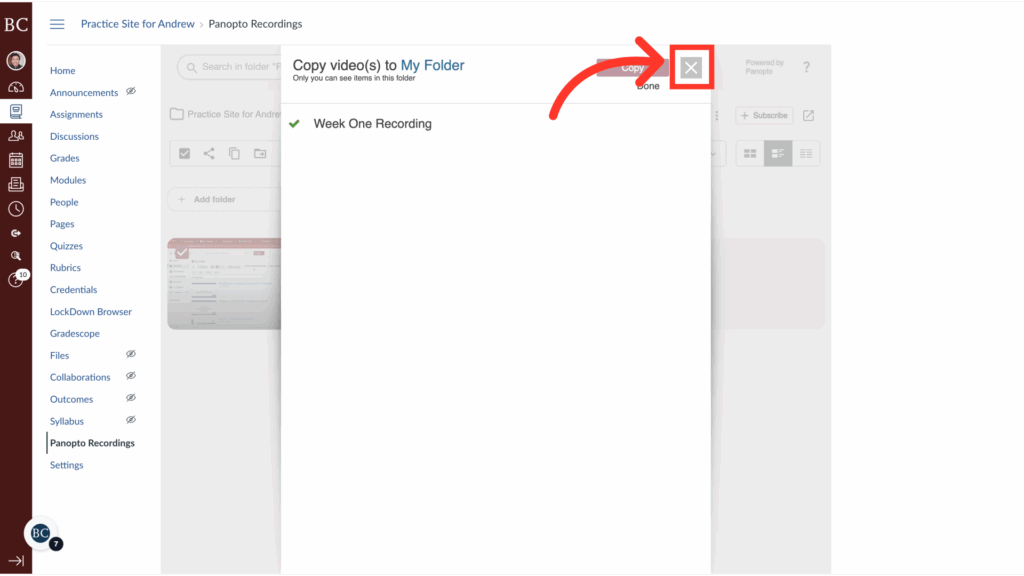
You can permanently preserve Panopto recordings by copying them to your personal Panopto folder.
Video Walkthrough
Step-by-Step Instructions
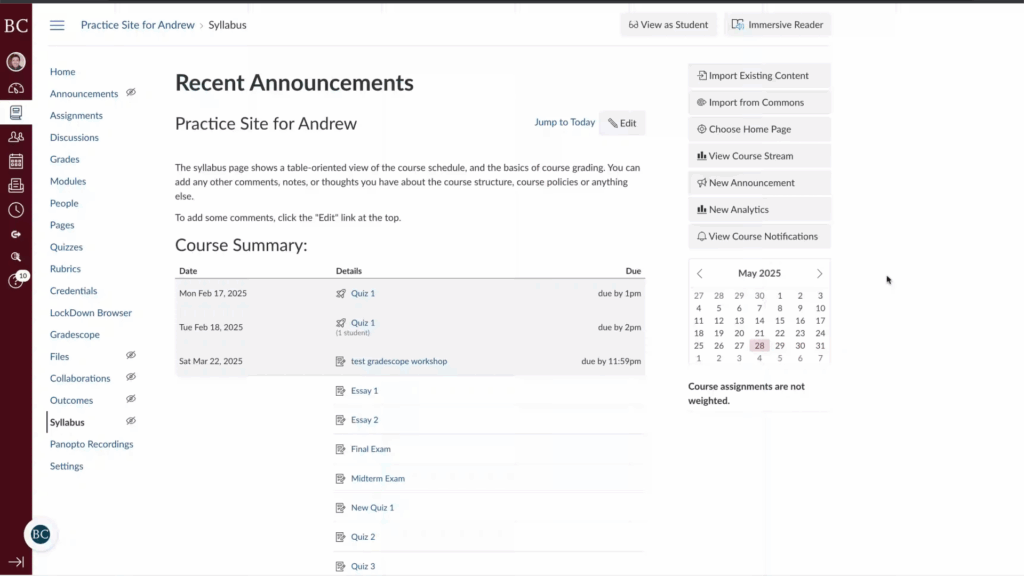
1. Open the Canvas site in which the recording is saved
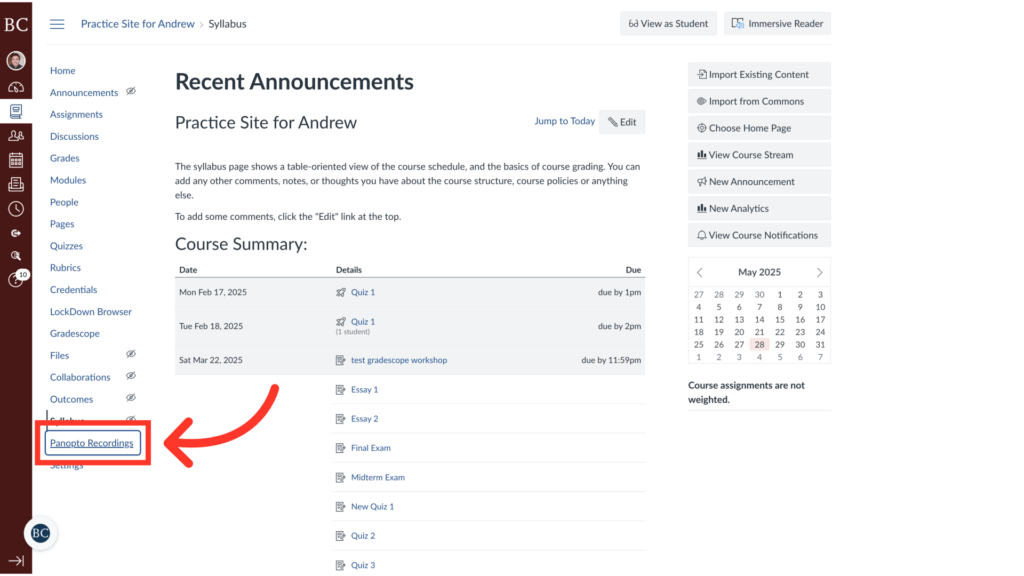
2. Click “Panopto Recordings” on the course navigation menu
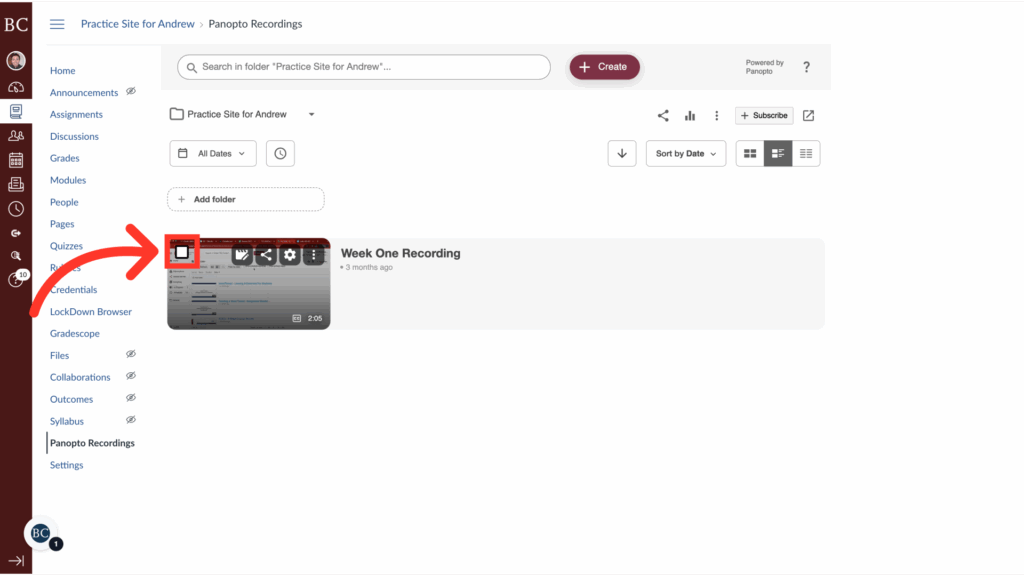
3. Select the recording you would like to preserve
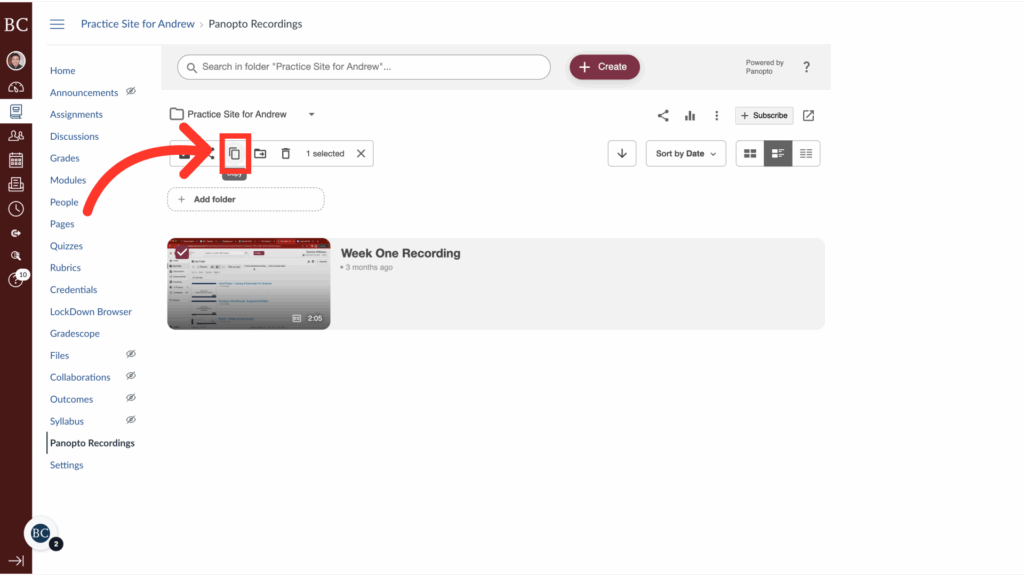
4. Click the “Copy” icon
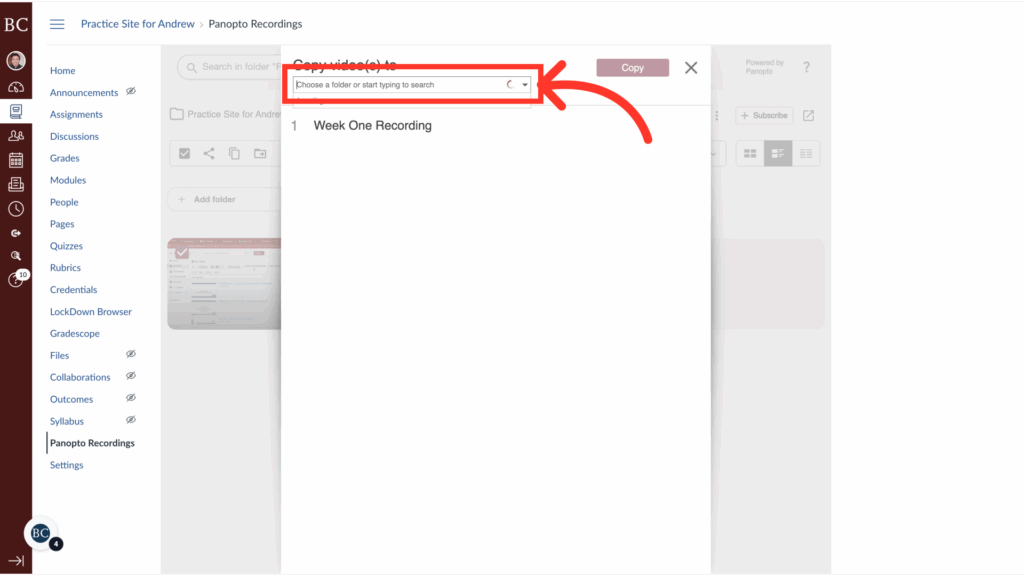
5. Open the folder selection menu
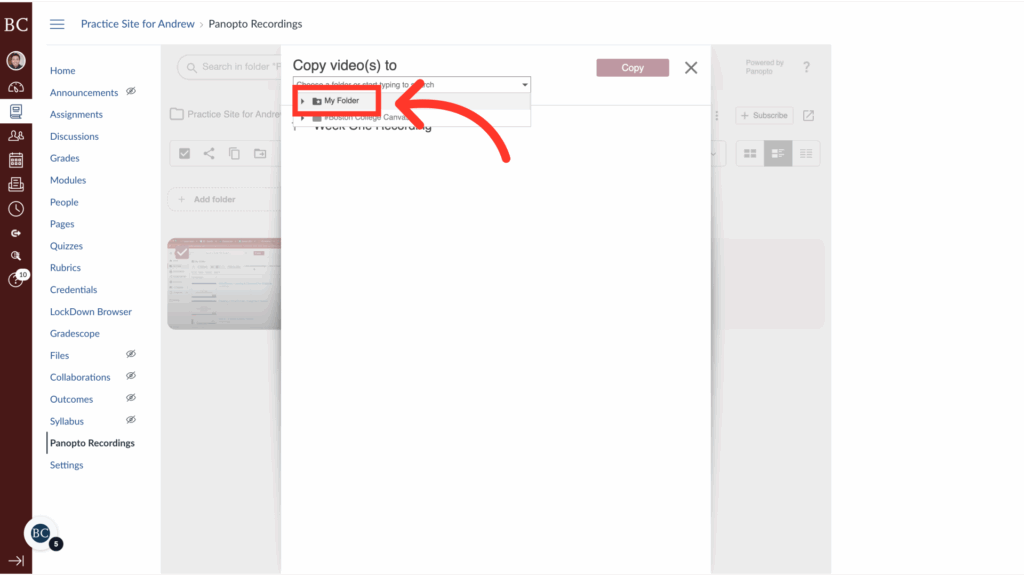
6. Select “My Folder”
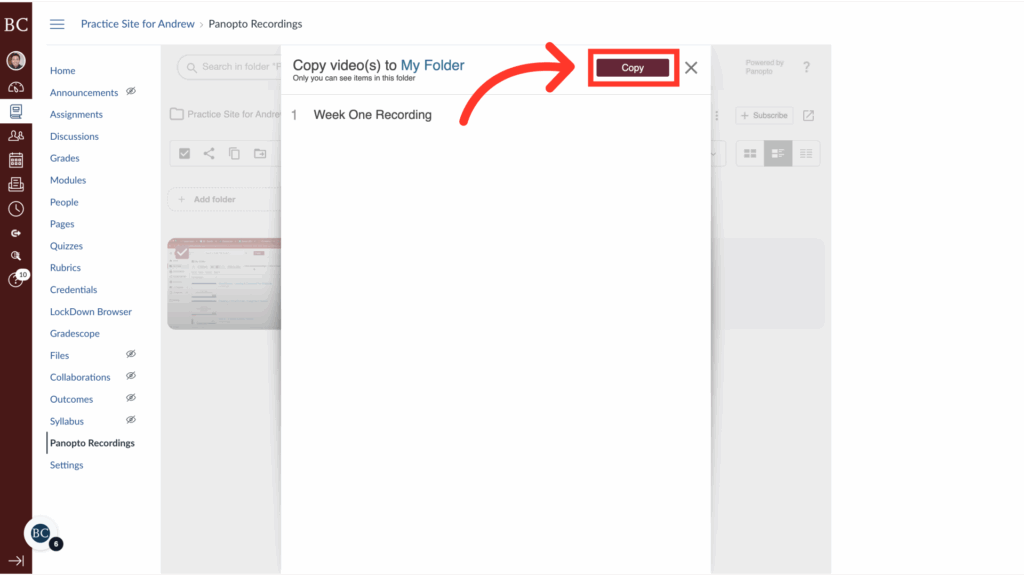
7. Click “Copy”
8. Close the menu
Your changes will save automatically.