Digital Learning Design Toolkit

CENTER FOR DIGITAL INNOVATION IN LEARNING

MAIN CDIL SITE

CONTACT US

Digital Learning Design Toolkit

  • About
  • Technologies
  • Programs
  • AI
  • Blog

In this Section

  • Creating a Panopto Recording
  • Uploading a Video from Your Computer to Panopto
  • Publishing a Panopto Classroom Recording in Canvas
  • Embedding a Panopto Recording in Canvas
  • Adding a Panopto Recording to a Canvas Module
  • Copying a Panopto Recording to Another Course
  • Sharing a Panopto Video with Viewers Outside Your Course
  • Sharing a Panopto Recording with Individual Students
  • Downloading a Panopto Recording
  • Changing Default Visibility Settings for Panopto Recordings in Canvas
  • Enabling Automatic Captions in Panopto
  • Changing the Title of a Panopto Recording
  • Adding a Thumbnail Image in Panopto
  • Preserving a Recording by Copying it to Your Personal Folder
  • Capturing Slides with Panopto
    1. Home
    2. Learning Technologies
    3. Other Learning Technologies
    4. Panopto
    5. Downloading a Panopto Recording

    Downloading a Panopto Recording

    You can download videos from Panopto to your device so that you can view them offline.

    Video Walkthrough

    Step-by-Step Instructions

    1. Locate the video you’d like to download
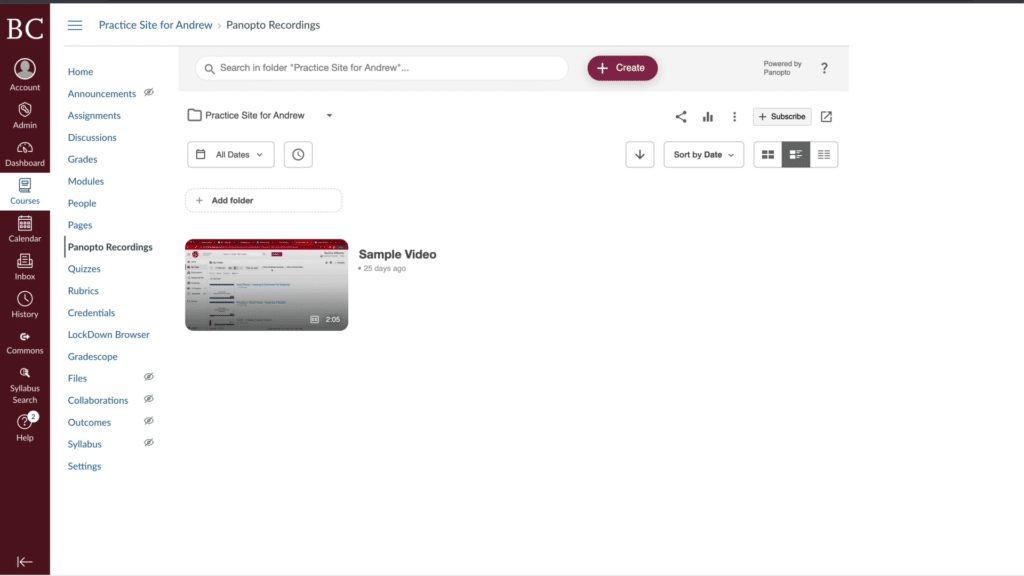
    A computer screen displaying an educational platform interface with navigation sidebar, video sample thumbnail, and options for folder organization and video playback.

    2. Open the video

    A computer screen displaying an online course interface with a highlighted "Sample Video" thumbnail and an arrow pointing to it.

    3. Open the “More options” menu

    Click the kebab menu on the top right
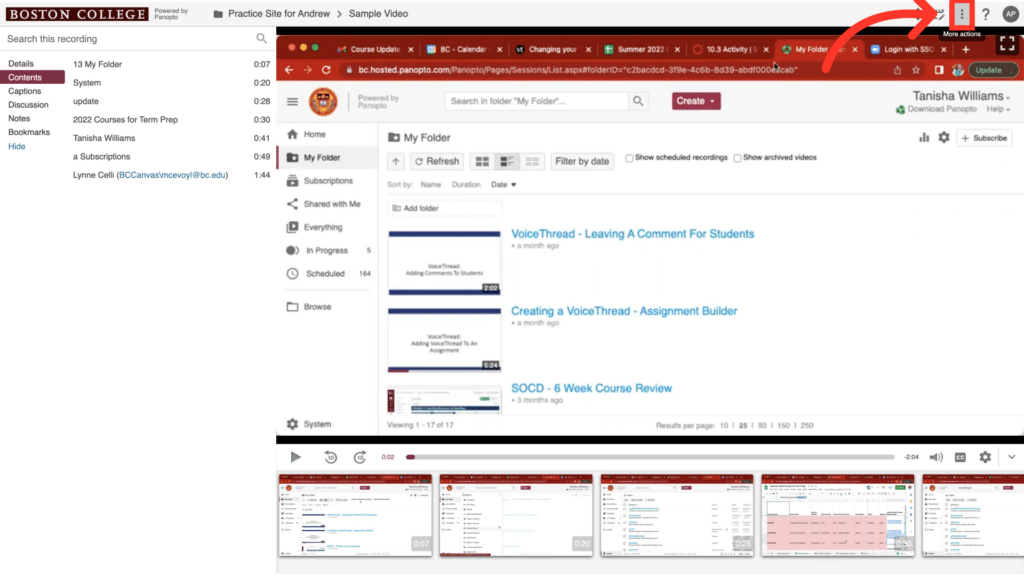
    A browser window displays a folder with educational video titles, including course reviews and assignment guides, on a Boston College site.

    4. Select “Download podcast”

    The video will be saved in the downloads folder on your device.
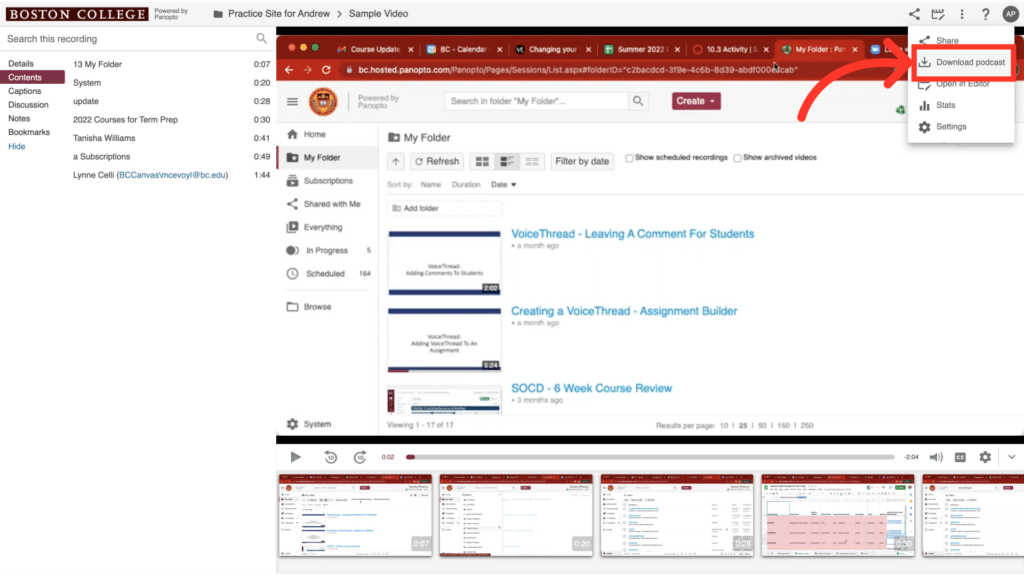
    A digital interface displaying a video platform with Boston College branding. Multiple tutorial video thumbnails are visible, with an arrow pointing to "Download podcast."
    Previous
    Sharing a Panopto Recording with Individual Students
    Next
    Changing Default Visibility Settings for Panopto Recordings in Canvas

    Last Updated

    4-22-2025
    On this Page
    To Top