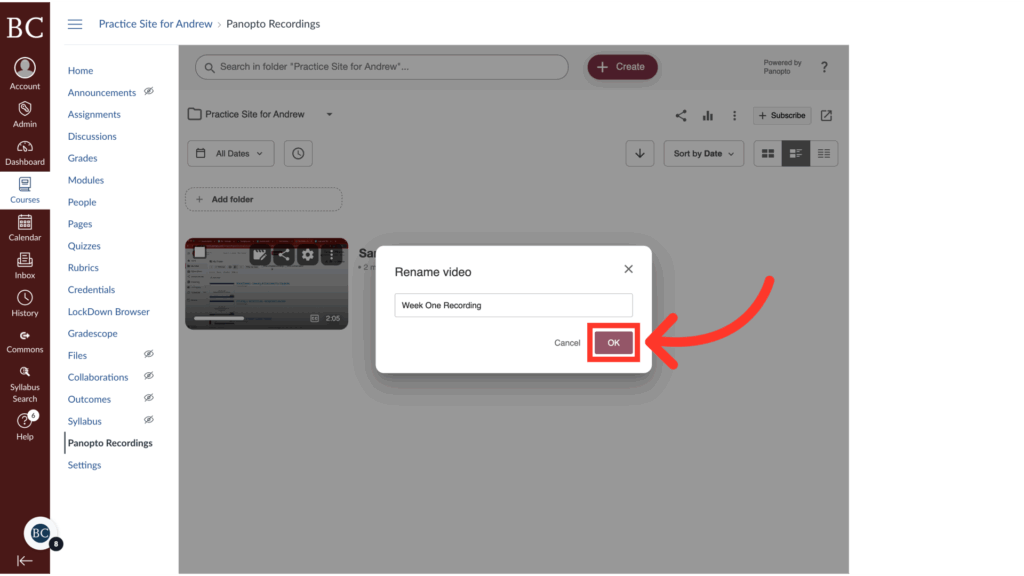
You can change the title of a Panopto Recording to make it clearer for viewers.
Video Walkthrough
Step-by-Step Instructions
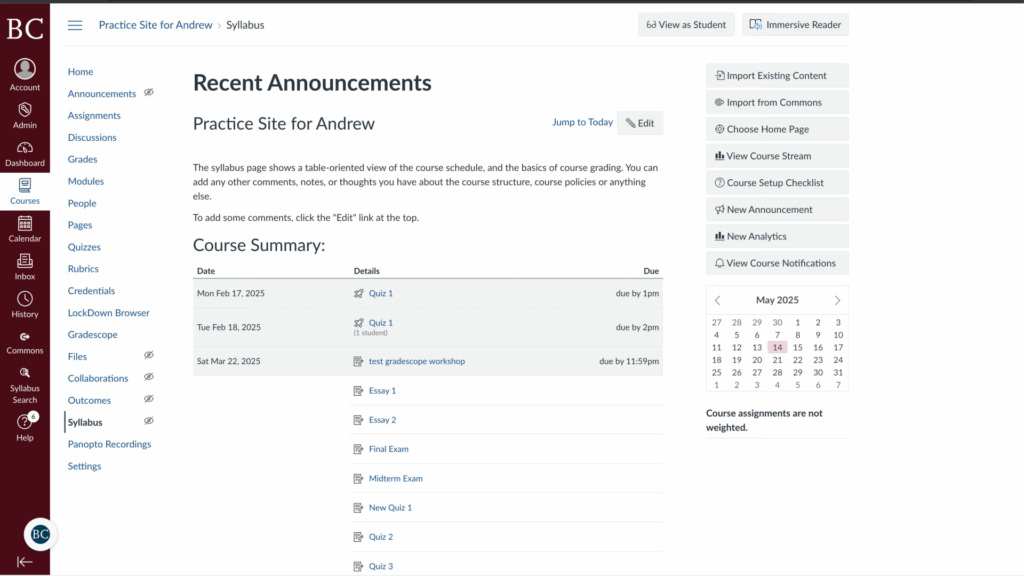
1. Open the Canvas site in which the recording is saved
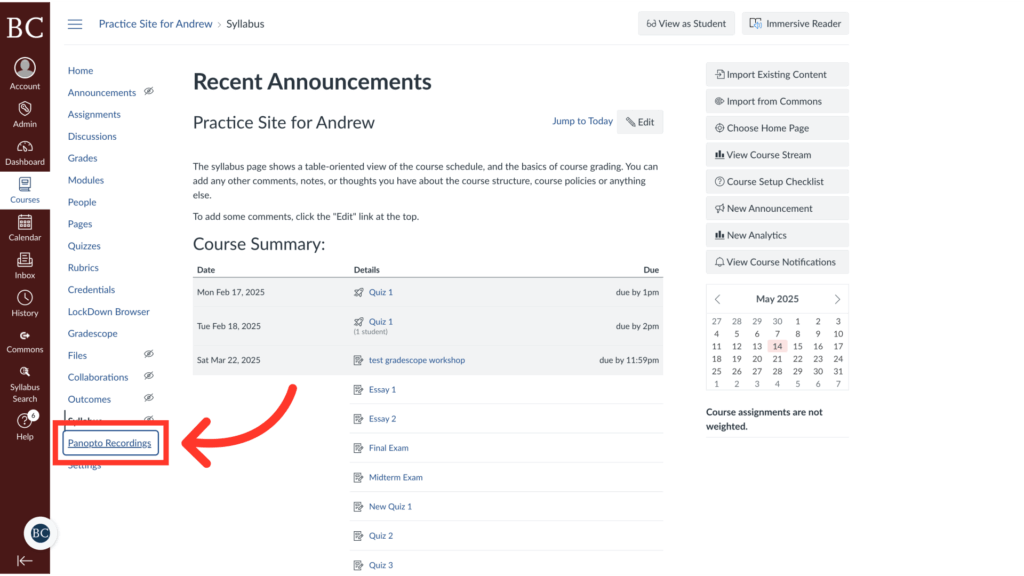
2. Click “Panopto Recordings” on the Course Navigation Menu
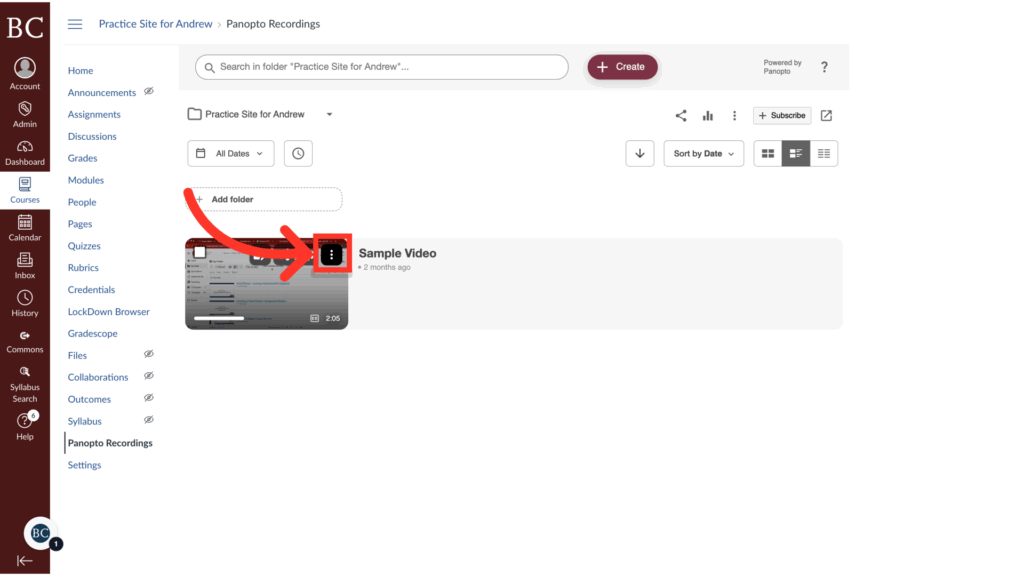
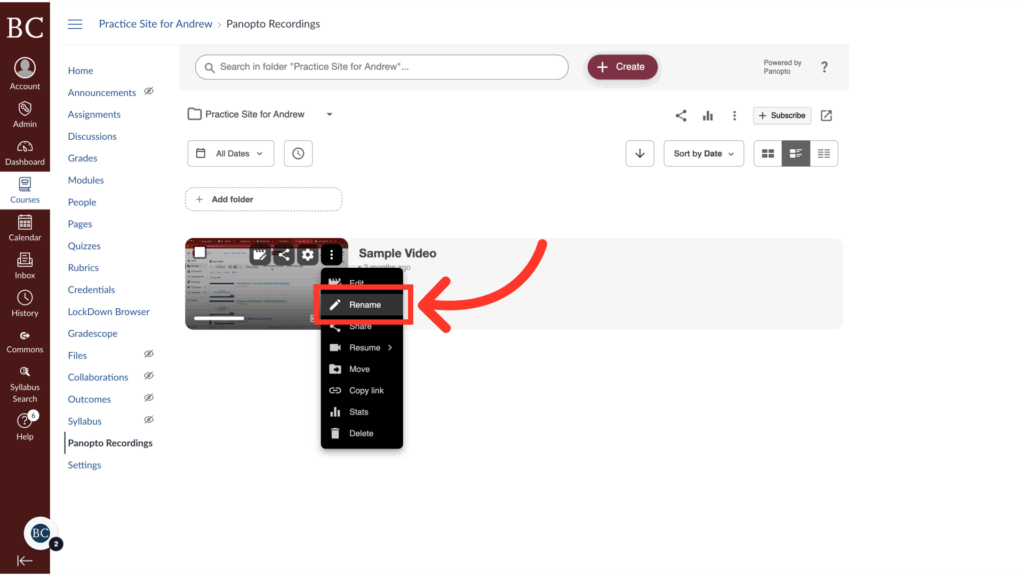
3. Hover your cursor over the thumbnail and open the kebab menu
4. Select “Rename”
5. Type in the new title for the recording
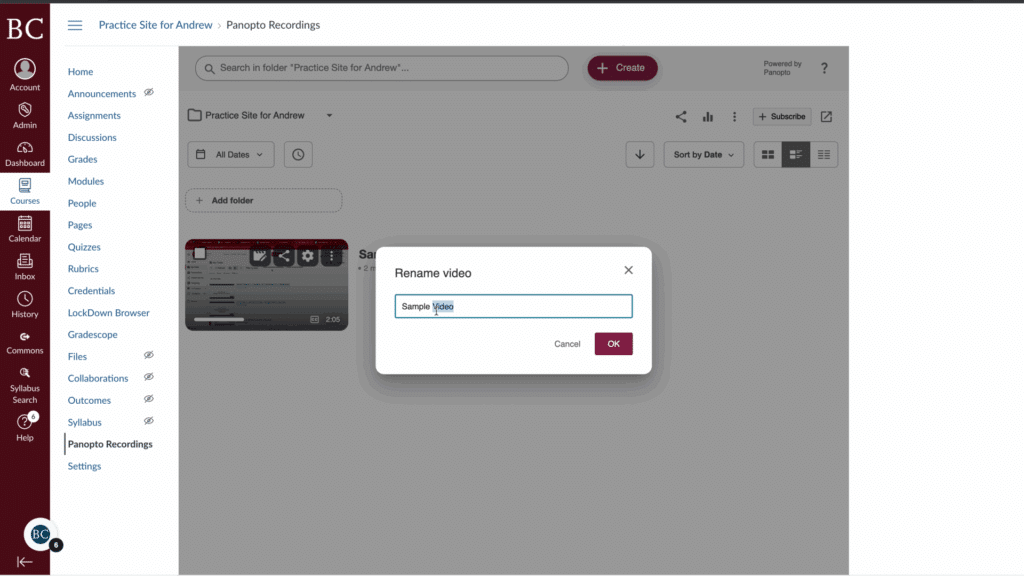
6. Click “OK”