

This guide explains how to capture slides using Panopto’s browser-based recording feature.
Video Walkthrough
Step-by-Step Instructions
1. Open the Canvas site in which you’d like to save your slideshow
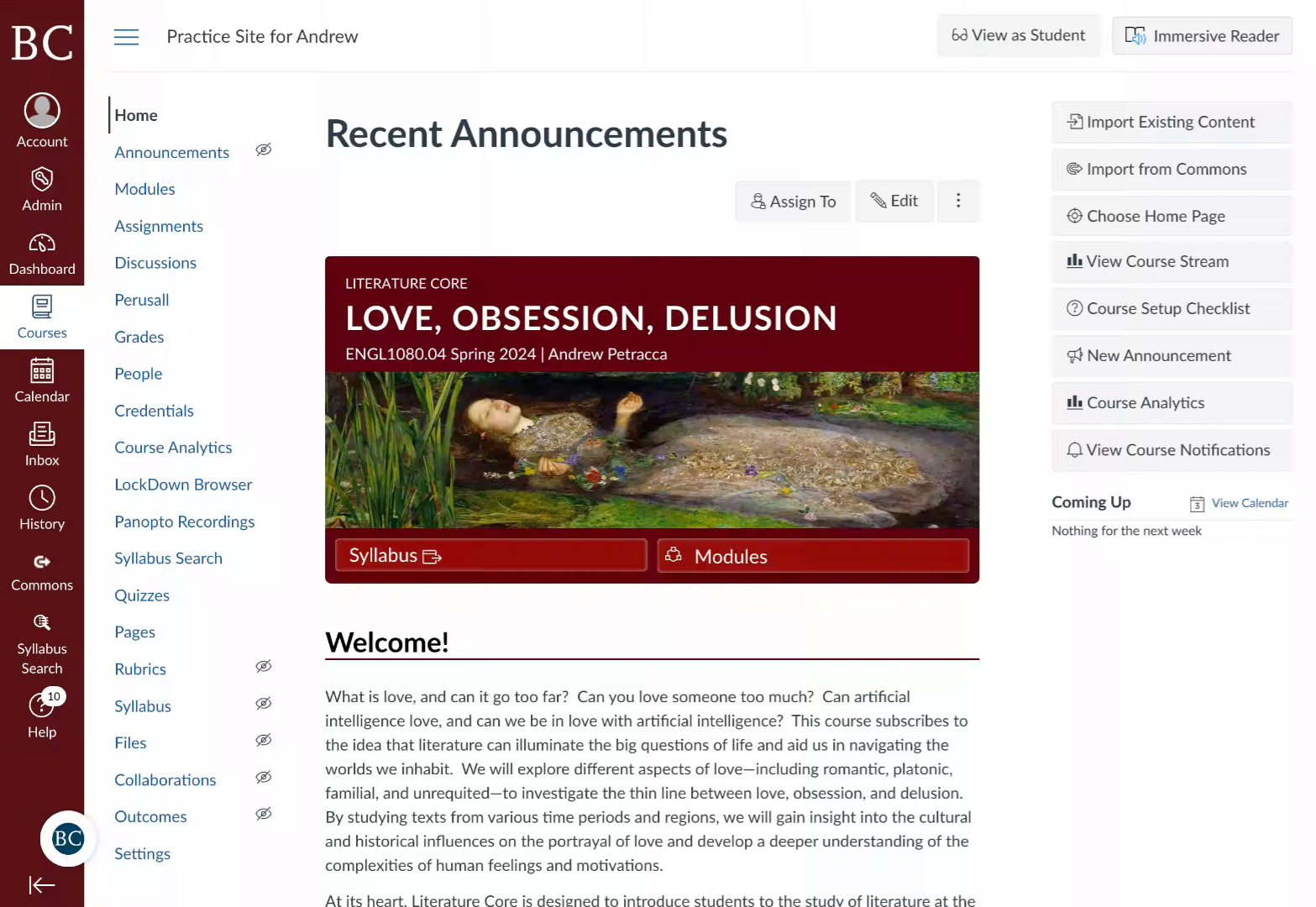
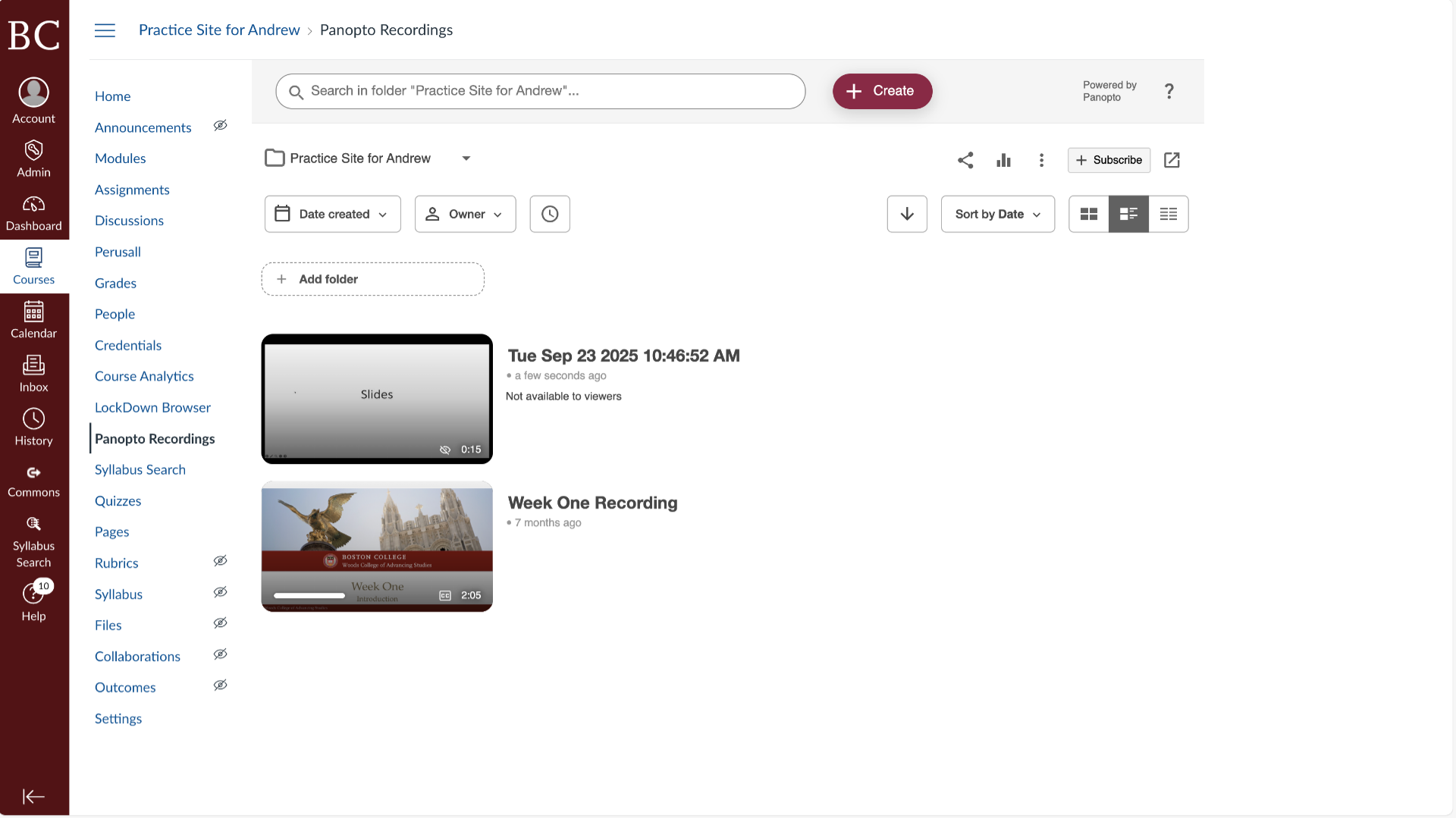
2. Click “Panopto Recordings”
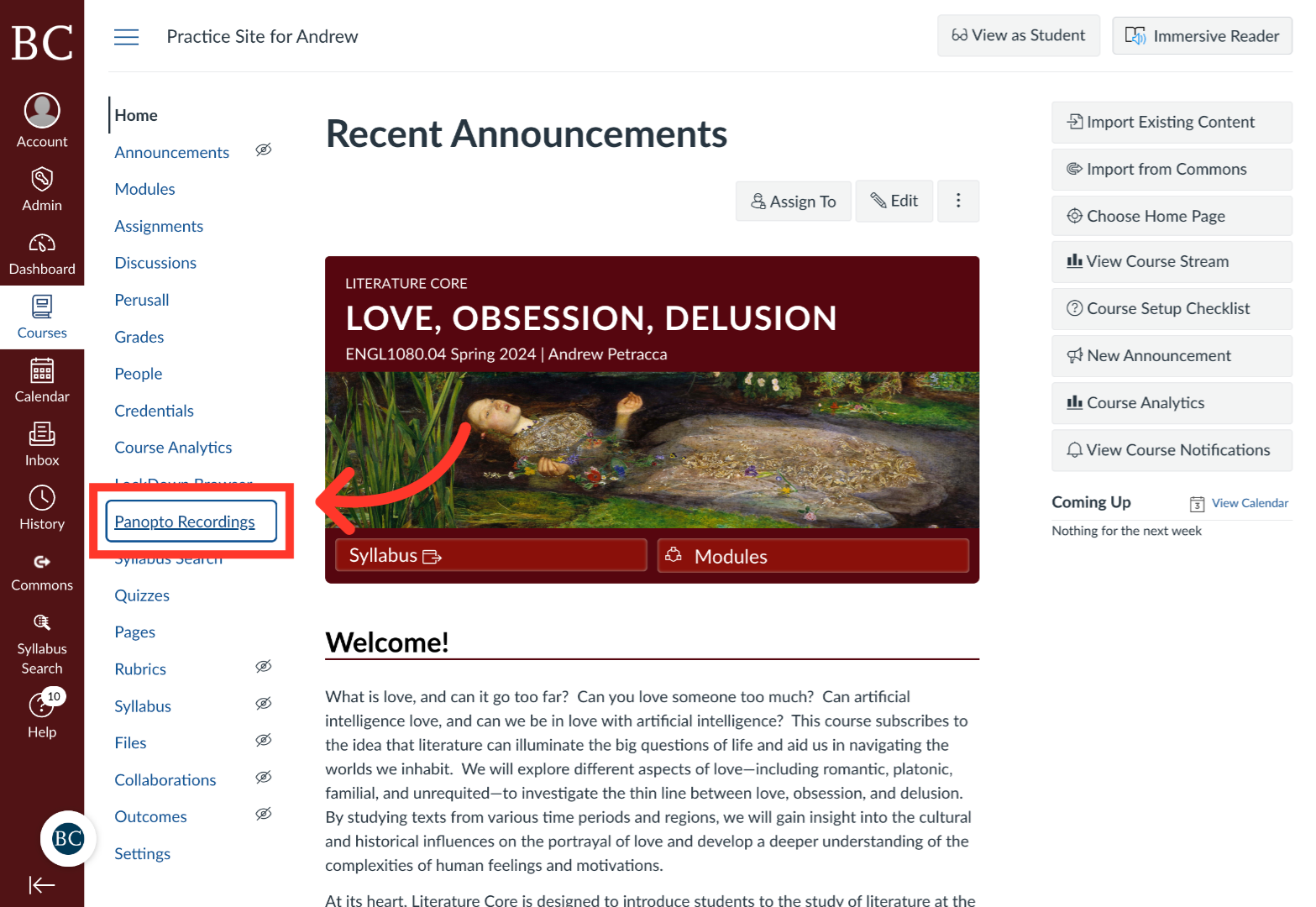
3. Click “+Create”
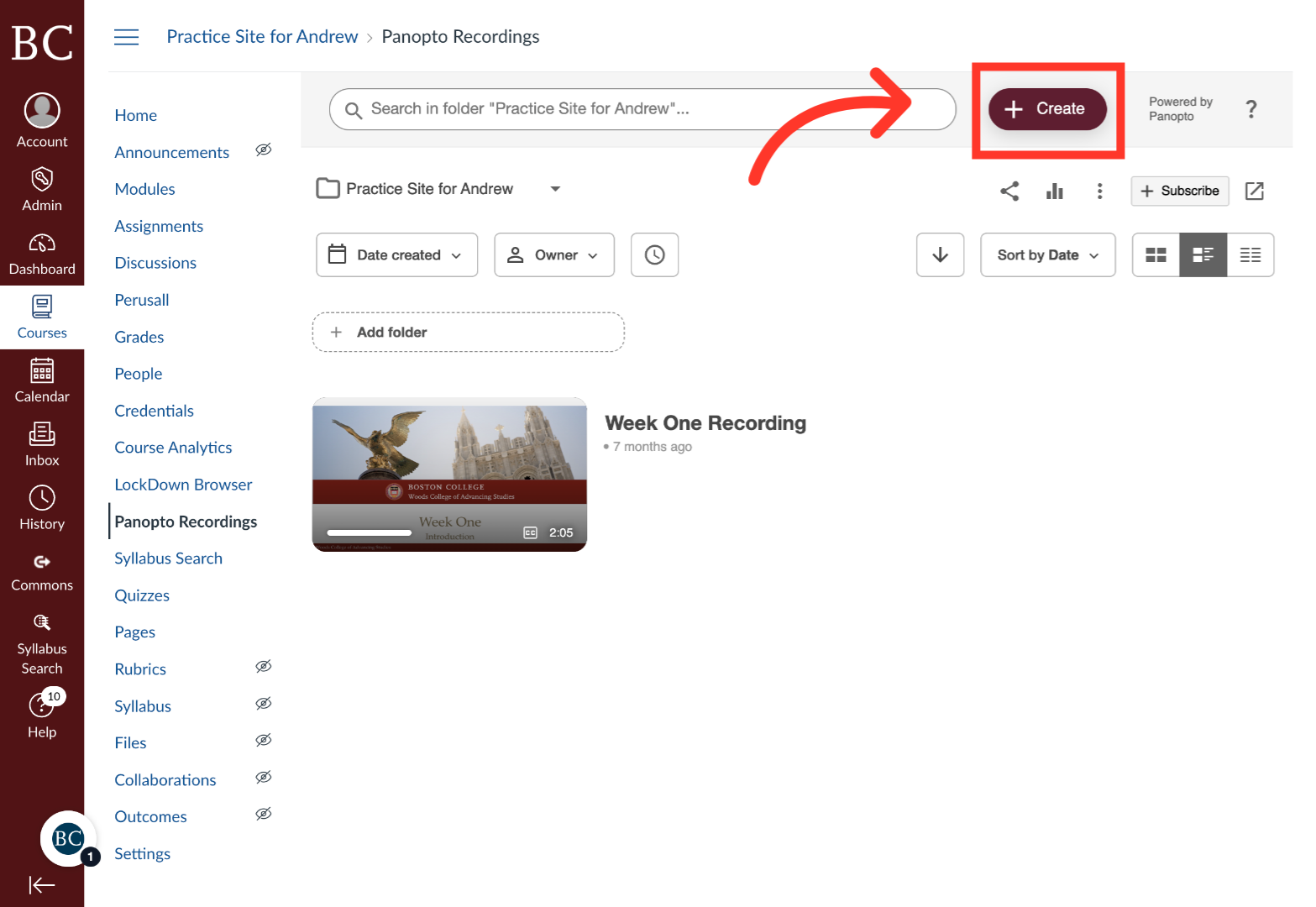
4. Select “Panopto Capture”
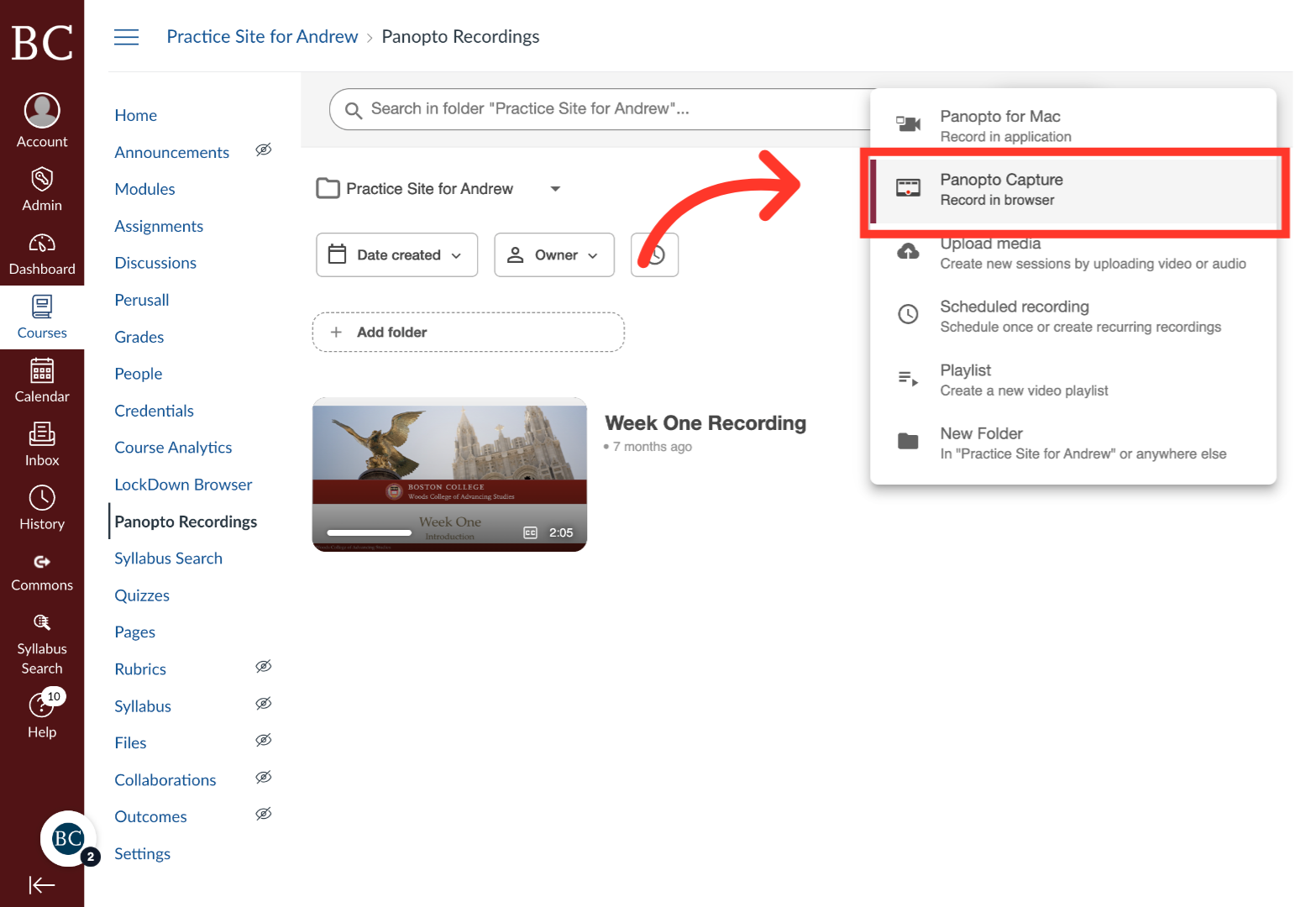
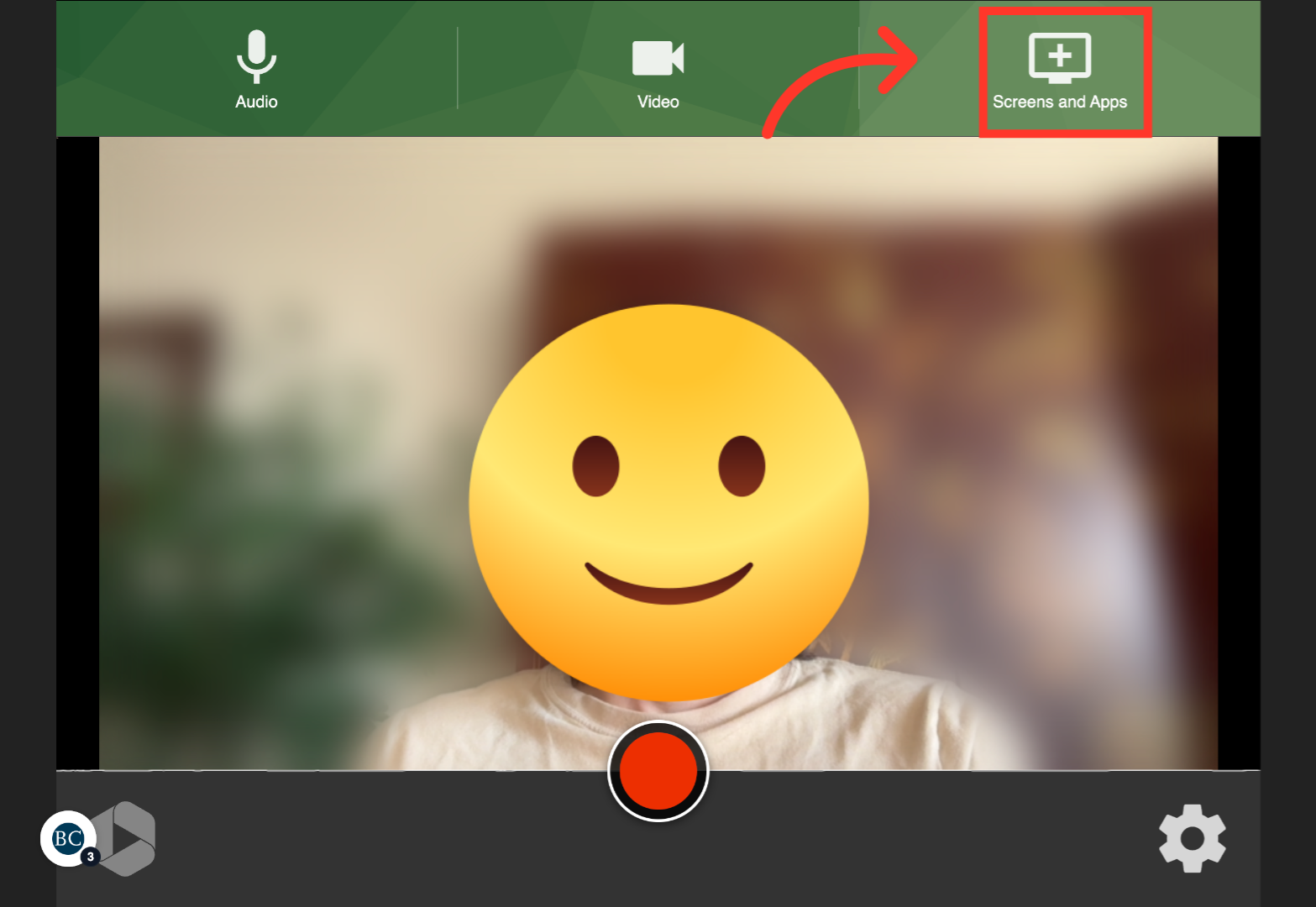
5. Click “Screens and Apps”
A new window will open
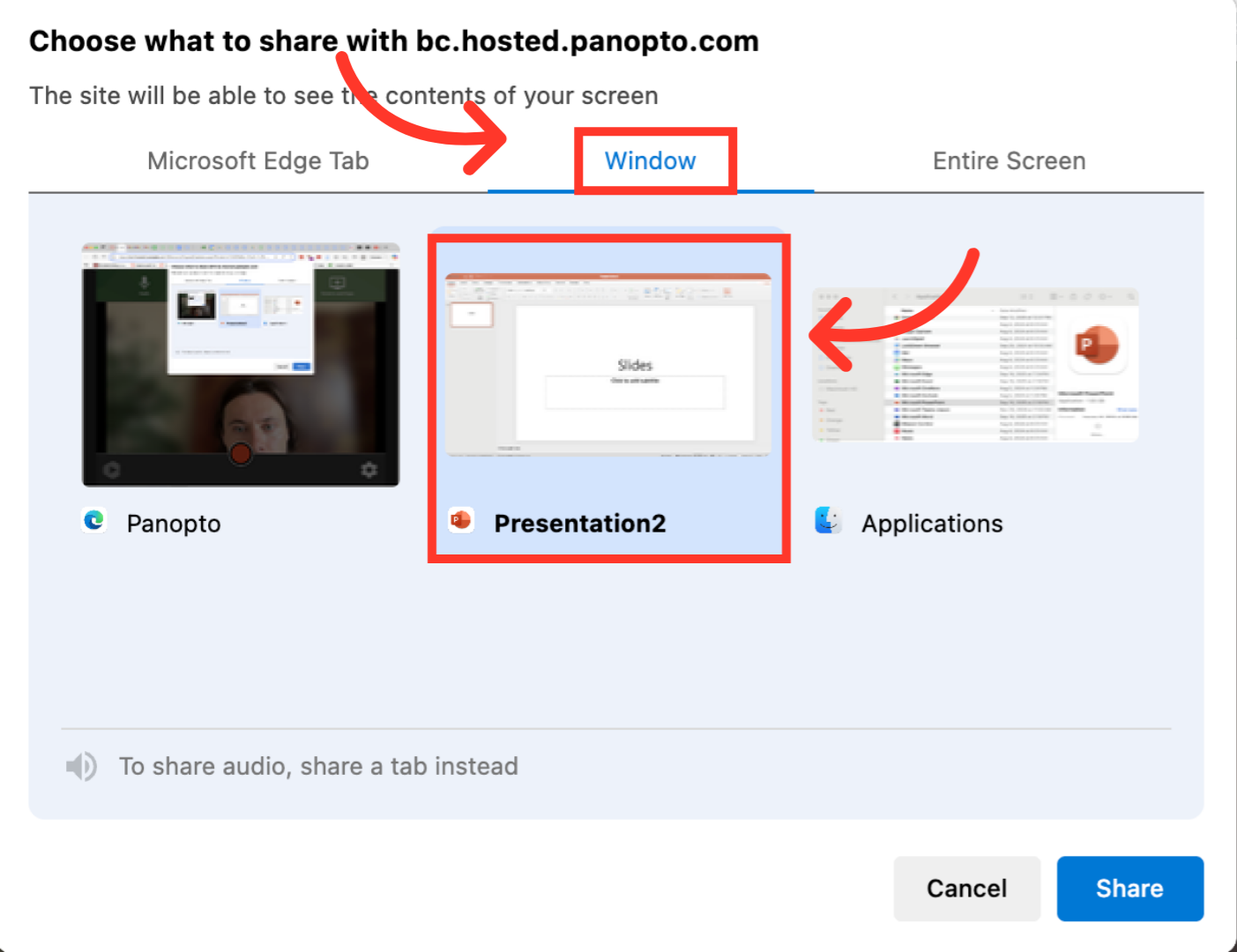
6. Click “Window” and select your presentation
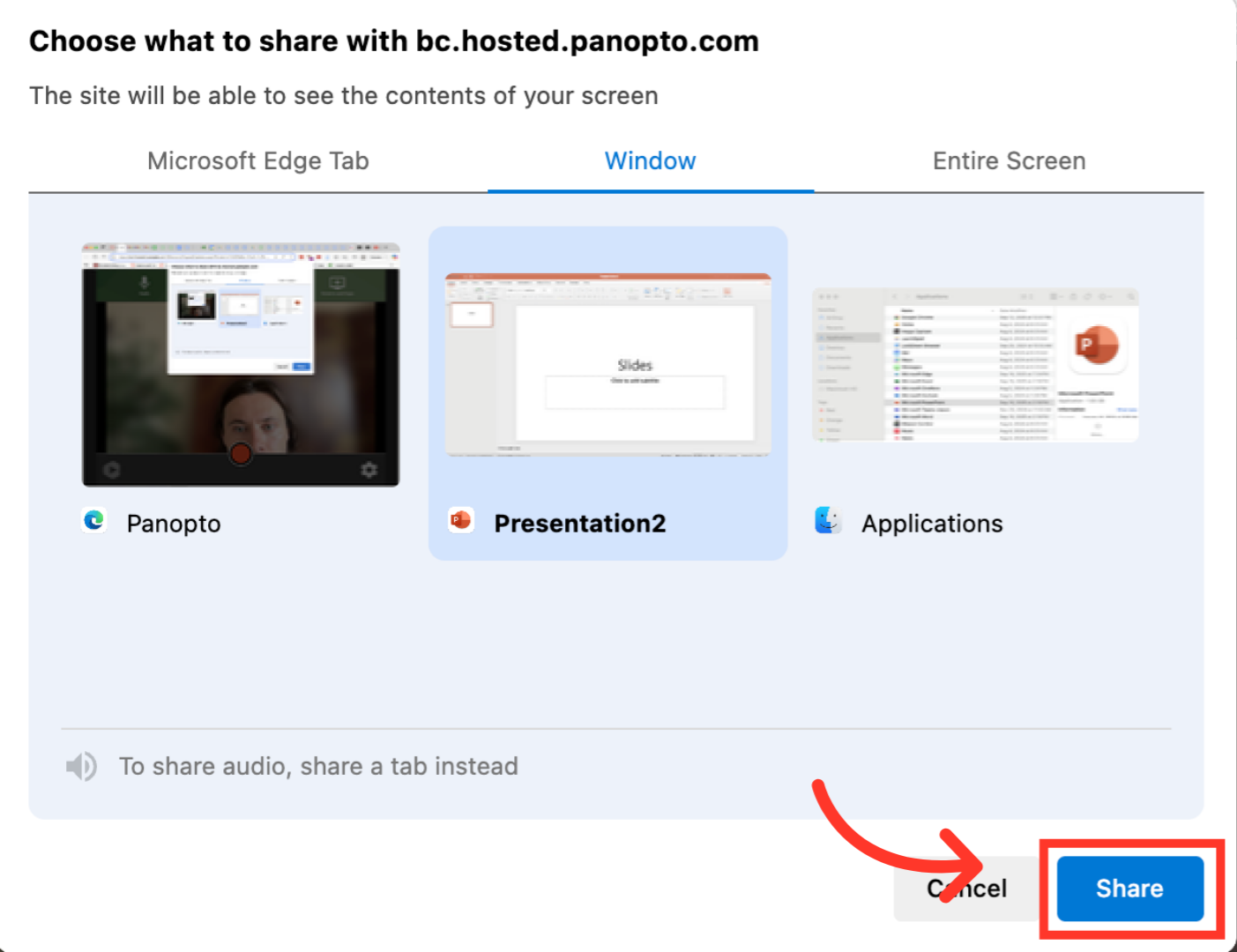
7. Click “Share”
8. Click the record button
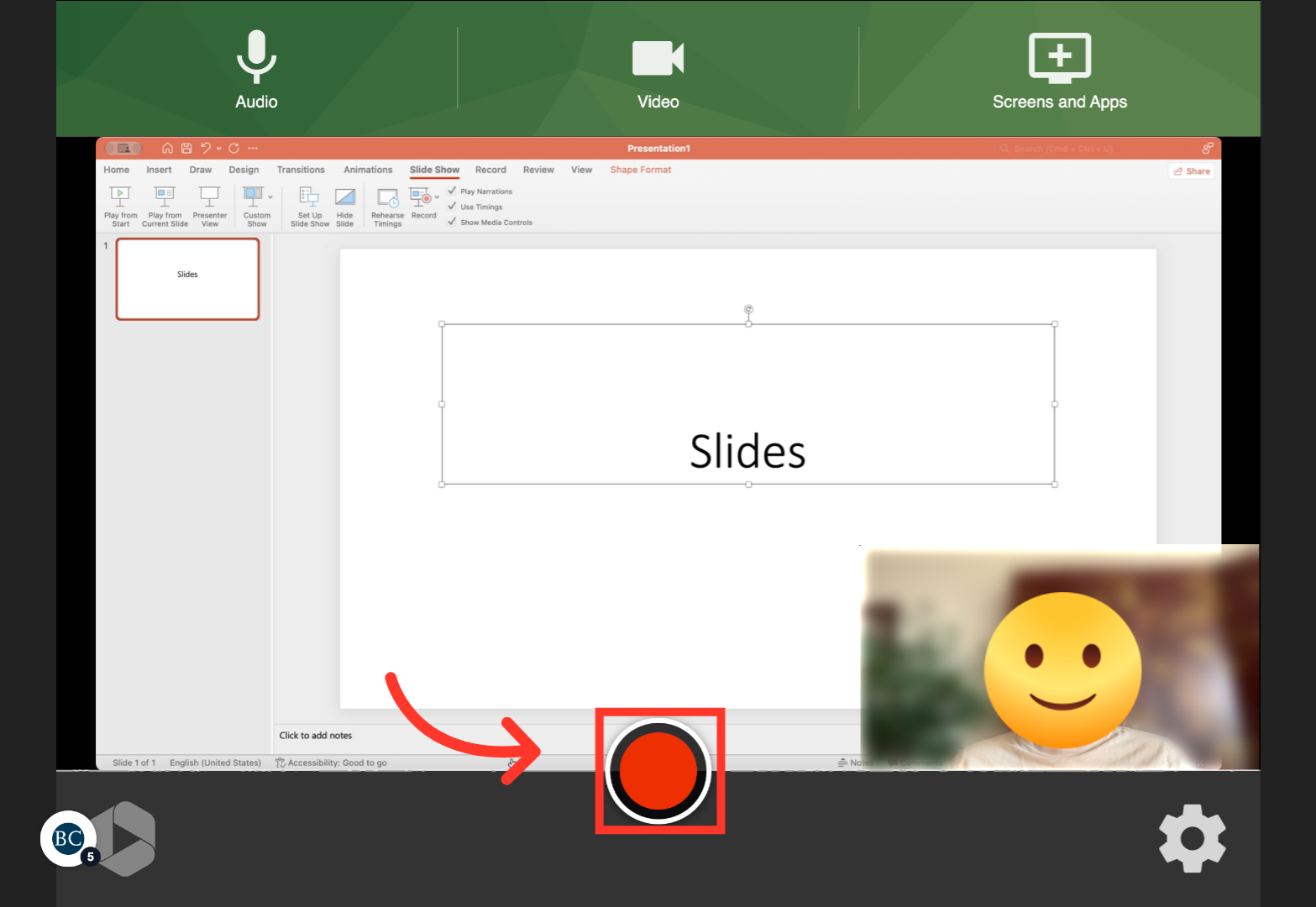
9. Navigate to your slideshow
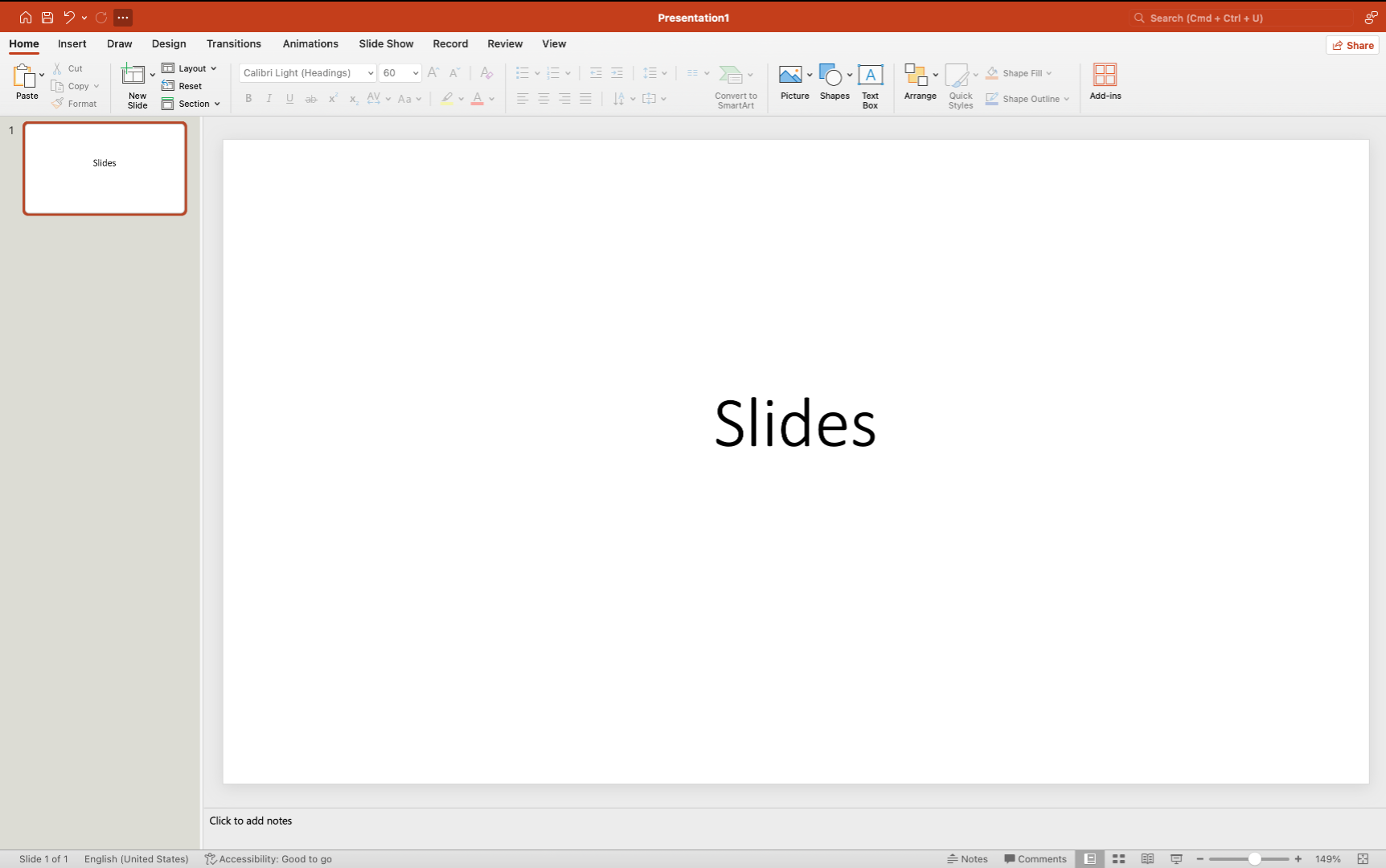
10. Click “Slide Show”
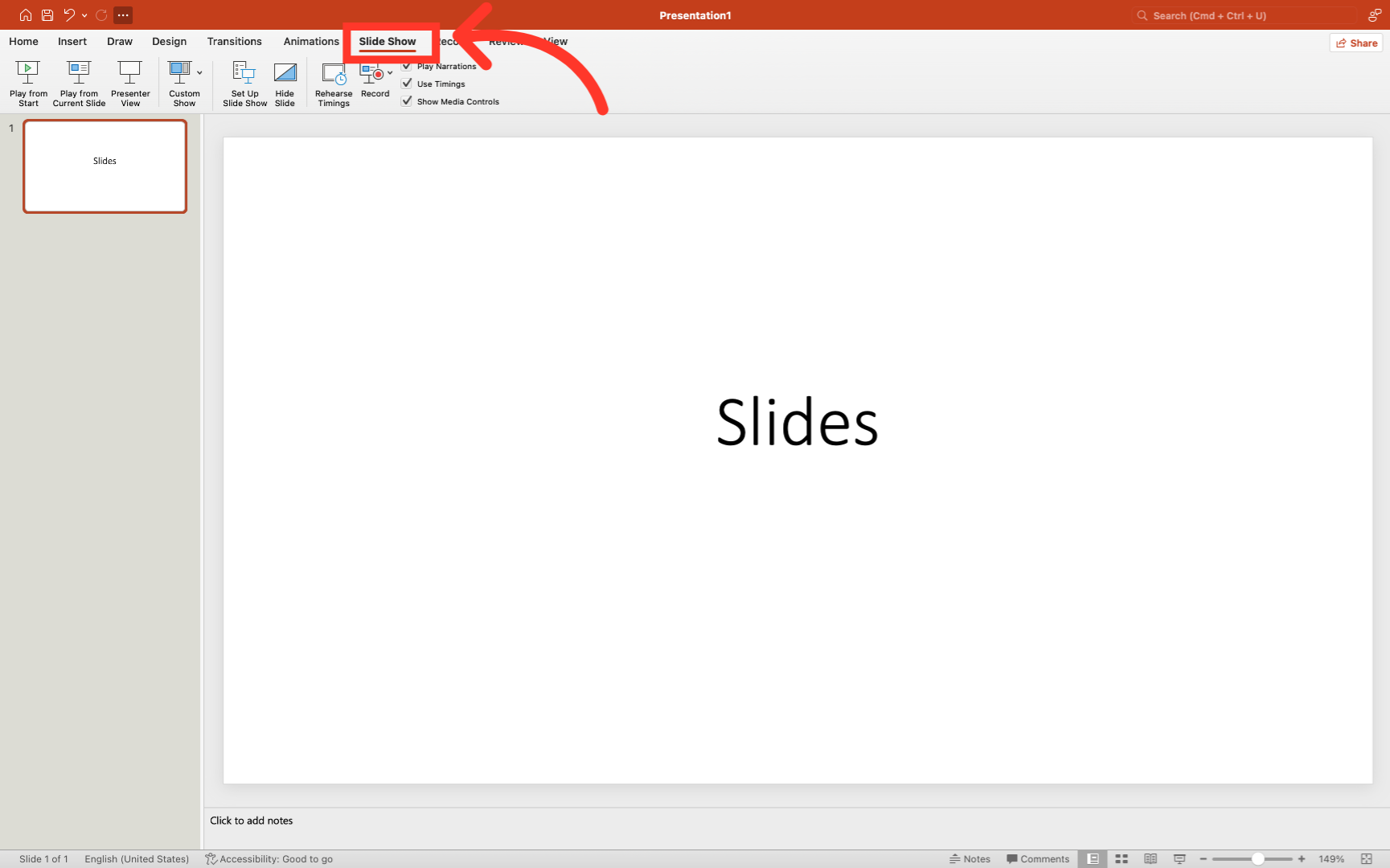
11. Begin to deliver your slides
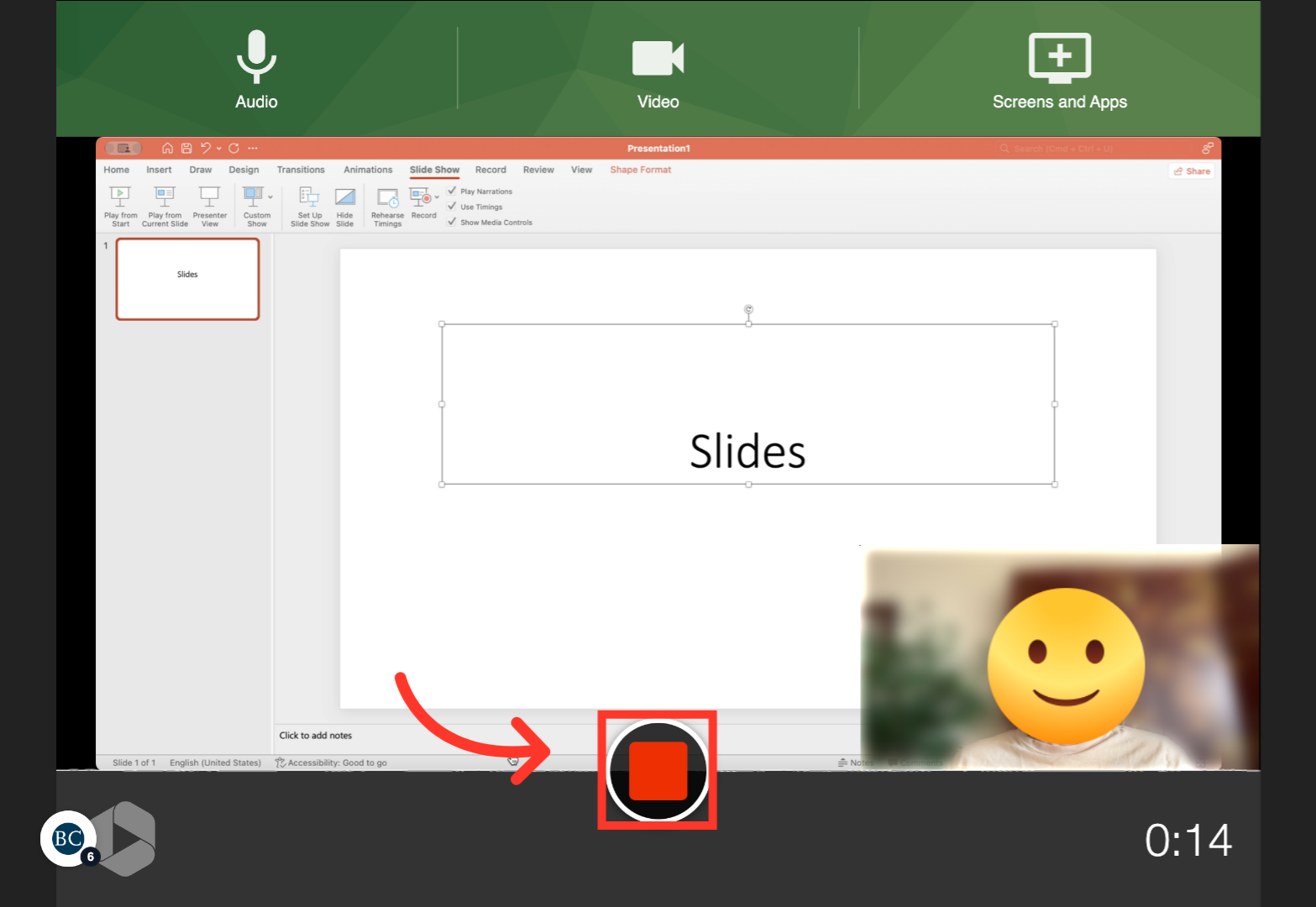
Panopto should record the slides as well as your video and audio.

12. Navigate back to Panopto and press the stop button
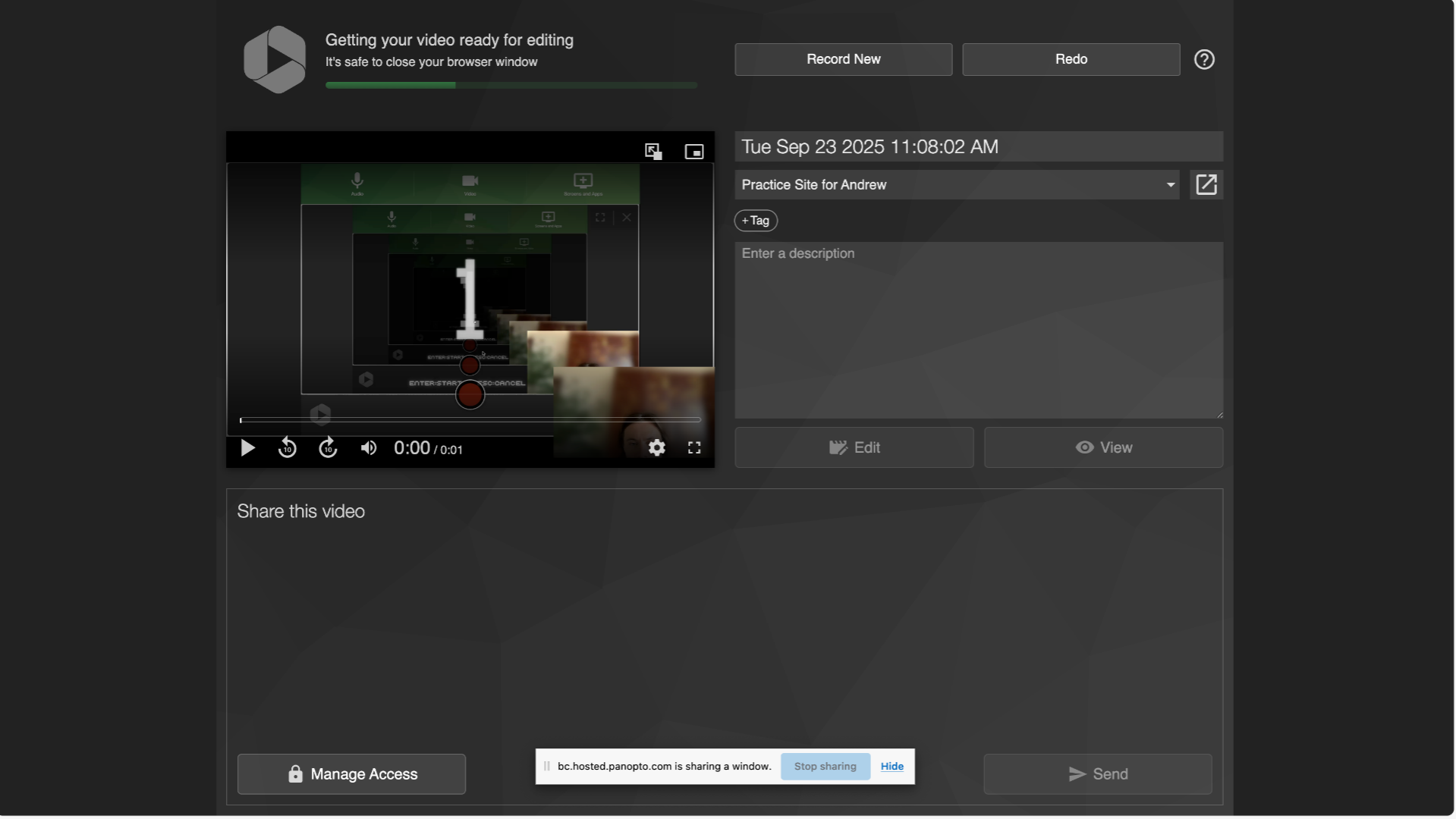
13. A new window will open, close this window
Your recording will save automatically
14. Navigate to Panopto to review your recording
Your recording will be saved in the Panopto Recordings tab of your Canvas site
Please add a description